


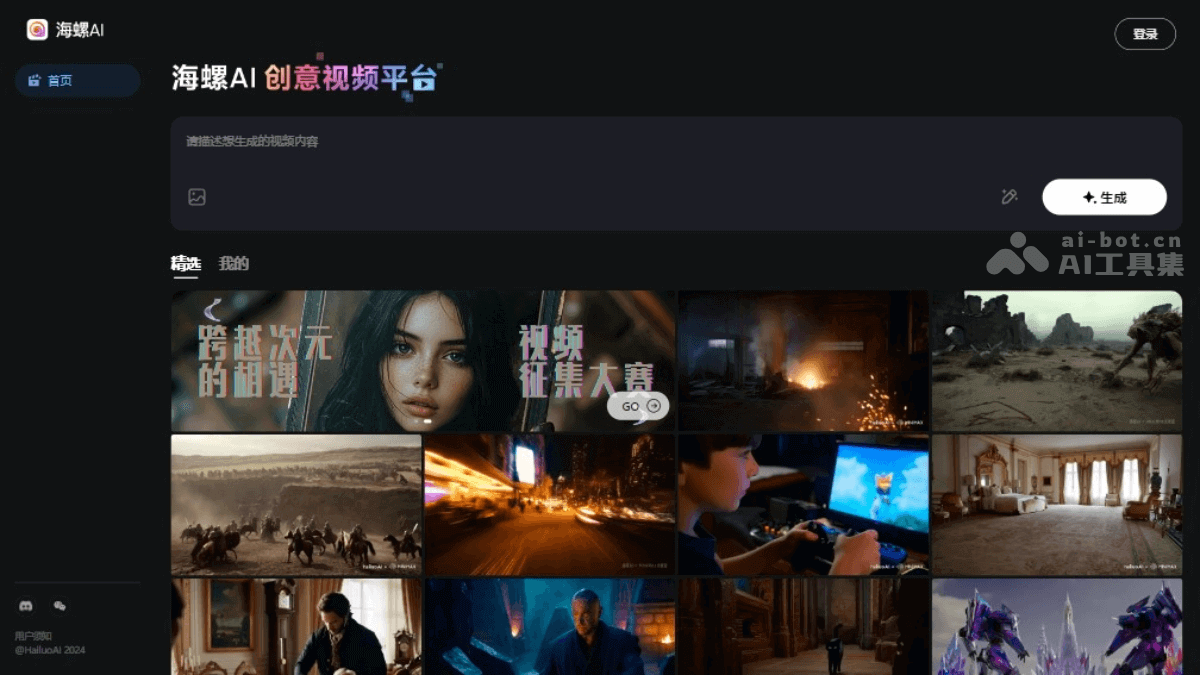
What is conch video?
Conch video is launched by MiniMax companyAI video generation toolwhich can quickly generate high-quality video clips based on text prompts. Users only need to provide a simple description or upload a picture, and Conch AI can create video content with rich emotions and delicate movements. Conch AI is very popular in overseas markets, with lifelike video effects and strong emotional expression capabilities, and is considered to be a leader in the field of AI video. Conch AI is simple to operate and supports multiple styles and scene generation, making it a powerful assistant for content creators and social media users. The “semi-customized” mode of the newly launched Video Agent allows users to freely edit storyboard content and review progress during the generation process.
- Hailuo 02:MiniMax launches a new AI video model – Hailuo 02, which refreshes the ranking and beats Keling and Veo 3!
The main functions of Conch Video
- Text generation video: Users input text prompts, and Conch AI can convert them into vivid video clips, supporting multiple languages, including Chinese and English.
- Tusheng Video (I2V): The user uploads a picture, and Conch AI can generate highly consistent and coherent video content based on this picture, and understand and integrate text instructions beyond the picture content.
- Emotion and expression generation: Conch AI is good at capturing and expressing the emotions and expressions of characters, and can generate silky transitions from happiness to sadness and other complex emotions.
- Various styles: Supports video generation in diverse styles such as surrealism, fantasy, science fiction, animation and abstraction.
- HD video output: Supports generating high-definition video clips with a maximum resolution of 1280*720 and 25 frames per second.
- fast action processing: Can handle fast-paced scenes and maintain visual coherence, suitable for generating action sequences and videos with a large dynamic range.
- Facial and body motion generation: Can create detailed facial close-ups and hand movements, and more complex body movements.
- Content moderation: Built-in review system ensures generated video content complies with policies and regulations.
- smart template: Provides a variety of smart video templates, users can choose the appropriate style according to content needs.
- Custom functions: Users can customize text, color, soundtrack and other elements in the video to meet personalized needs.
- Support multiple formats: Supports multiple video output formats such as MP4, AVI, MOV, etc. to ensure video compatibility.
-
Custom gameplay: Users can intervene in the editing process during video generation, such as storyboard pictures, storyboard videos, etc. For unsatisfactory storyboard content, select “Regenerate” or “Add it to Dialogue” to make precise fine-tuning by entering prompt words.
-
Review function: Users can use “View Project” to review the complete generation process to avoid losing progress after exiting the interface.
How to use Conch Video
- Visit official website:Open the browser and visit the official website of Conch Video:hailuoai.com/video register an account and log in.
- Enter video description prompt words:Enter the description prompt words of the video in the creative description window, and the prompt words will guide the AI to generate the content and style of the video.
- Upload image (optional):Using the Tusheng video function, you can upload a picture related to the video content, and Conch AI will generate a video based on this picture.
- Choose templates and custom elements:Choose from built-in video templates according to your needs.Customize text, colors, transition effects and other elements in your video.
- Generate video:Click the “Generate Video” button and Conch AI will start processing and generating the video.Depending on the server’s response time and the complexity of the video, the generation process may take a few minutes to longer.
- Preview and download:After the video generation is completed, you can preview the video effect.If satisfied, click the Download button to save the video to your local computer.
Product Pricing of Conch Video
- free to use: It is currently free to experience the AI video generation function. The latest pricing information of Conch AI is subject to the information on Conch AI’s official website.
Application scenarios of Conch Video
- Social media content creation:Produce eye-catching short video content for social platforms such as Instagram, TikTok, and Weibo.
- Marketing and Advertising:Quickly generate attractive short video ads for product promotion or brand promotion.
- Film and video production:Create concept trailers, special effects scenes, or animated sequences for movies, TV series, or web series.
- Education and training:Create educational content, such as historical reenactments and scientific experiment simulations, to enhance the learning experience.
- news and reports:Generate dynamic backgrounds or simulated event scenes in news reports to make reports more vivid.
- Art and Experimental Film:Explore new creative possibilities and produce visually unique works of art.
© Copyright statement