


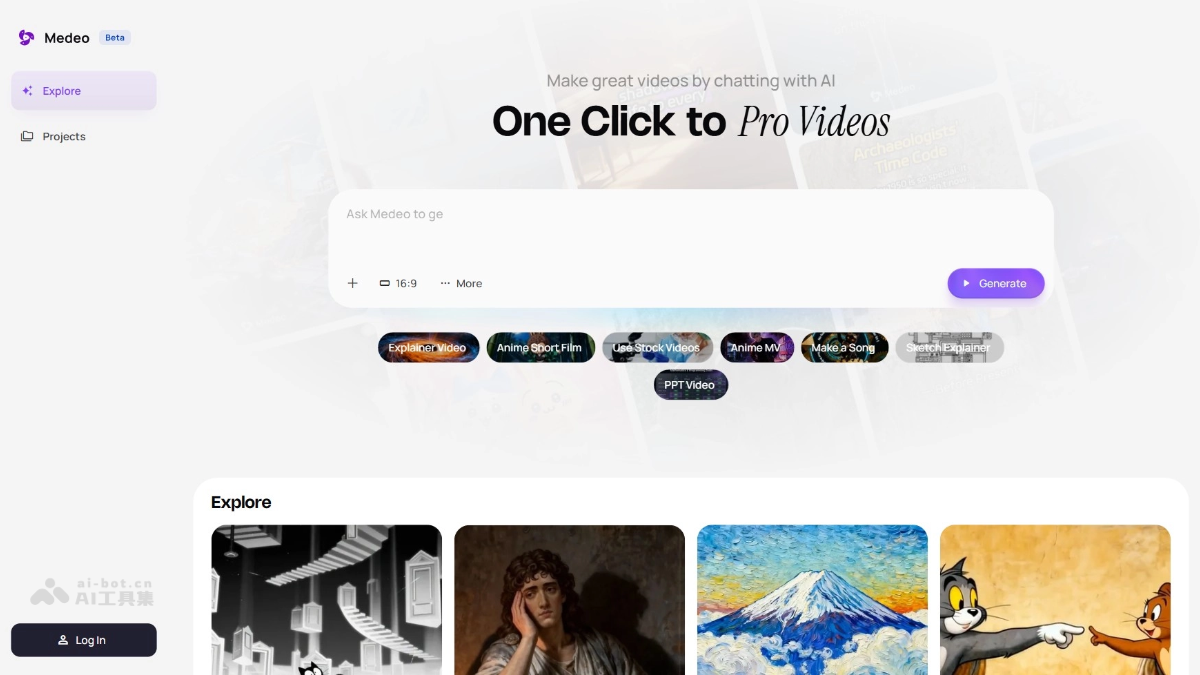
What is Medeo
Medeo is advancedAI video creation platformallowing users to easily generate high-quality videos through natural language interaction. The platform adopts an advanced Agent architecture that supports real-time modification and iteration without professional editing skills, enabling flexible creation. Medeo integration Gemini、Sora2 It supports multiple video types such as popular science, animation, and advertising, and provides intelligent asset libraries and multi-modal input functions. Medeo is committed to lowering the threshold for creation and allowing everyone to express creativity through video. It is a powerful assistant for creators, making creation easy and efficient.
Main functions of Medeo
- Conversation generation video: Users describe creative ideas through natural language, and Medeo can understand and directly generate video content without manual editing or complicated operations.
- Creative intent understanding: Medeo can deeply understand the user’s creative intention based on context, and can accurately execute it whether it is a vague idea or a precise instruction.
- Real-time feedback and modifications: Users can put forward modification suggestions at any time during the conversation, such as adjusting the lens rhythm, style, adding special effects, etc., and AI will respond immediately to modify the video.
- Multi-category video creation: Supports a variety of video types, including popular science, knowledge explanations, news interpretations, creative short films, animations, advertisements, etc., to meet the creative needs of different users.
- Language driven control: Users can precisely control every detail of the video through simple language commands without learning complex editing software or operating interfaces.
- Smart editing and optimization: Medeo can automatically complete operations such as editing, transitions, and adding special effects, while optimizing the visual and auditory effects of the video to ensure high-quality output.
How to use Medeo
-
Register and log in: Visit Medeo official website https://medeo.app/, complete the account and login (invitation code required).
-
Create project: Click “Create New Project” and enter the project name and description.
-
Select template: Select appropriate video templates (such as popular science, animation, advertising, etc.) according to your needs.
-
Enter ideas: Enter video creative or script content in the dialog box.
-
Dialogue adjustments: Converse with AI through natural language to adjust picture style, dubbing, content and other details.
-
Preview edit: View the first draft of the generated video and continue the conversation to modify and optimize it.
-
Export and share: Click “Export” when satisfied to save or share the video.
Medeo’s official example
prompt: Make a paper-cut style Boy Who Cried Wolf story for kids. (Make a paper-cut style Boy Who Cried Wolf story for kids.)

prompt: Make a viral YouTube video about puppy rescue.

prompt:Create a video with today’s US stock market news. (Create a video with today’s US stock market news.)

Application scenarios of Medeo
- content creation: Help video bloggers and self-media operators quickly generate creative videos, improve content output efficiency, and save editing time.
- corporate marketing: Produce product demonstrations and brand promotion videos to visually display product features, enhance brand image and visibility, and assist in advertising and social media promotion.
- Education and training: Generate training and educational videos to facilitate students to better understand and learn course content, suitable for online courses and educational institutions.
- personal entertainment: Make personalized videos such as travel records and birthday wishes to record beautiful moments and increase the fun of emotional expression.
- news media: Quickly generate news videos, enter news article links to improve content publishing efficiency, and enhance the attractiveness and dissemination of news.
© Copyright statement